Accessing the System
Purpose
How to access the system (login and logout), and resetting the password.
Access Point
To login to the system, go to your web address and add /admin (ex: https://www.mysiteurl.com/admin)
Logging In
You will see a welcome screen with the name of your site and an area to enter your username and password. This username and password will be assigned at site creation or later by your site administrator. For information on adding and editing users, please see the section on Managing Admins and Editors.

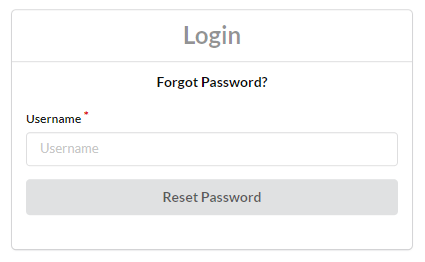
Forgot Password
If you forgot your password or otherwise need to reset it, you can click the forgot password button and enter your username. An email will be sent to the address on file with further instructions.
Logging Out
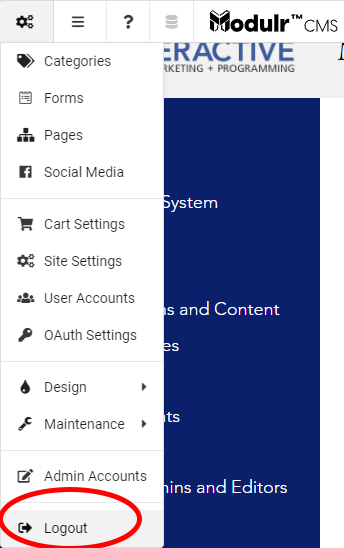
You can logout at any time by clicking the Logout button on the right side of the toolbar. The system also has a session timeout after 20 minutes of inactivity, so please make sure to save and publish all of your changes before walking away from the system, in case you should get logged out and lose them.