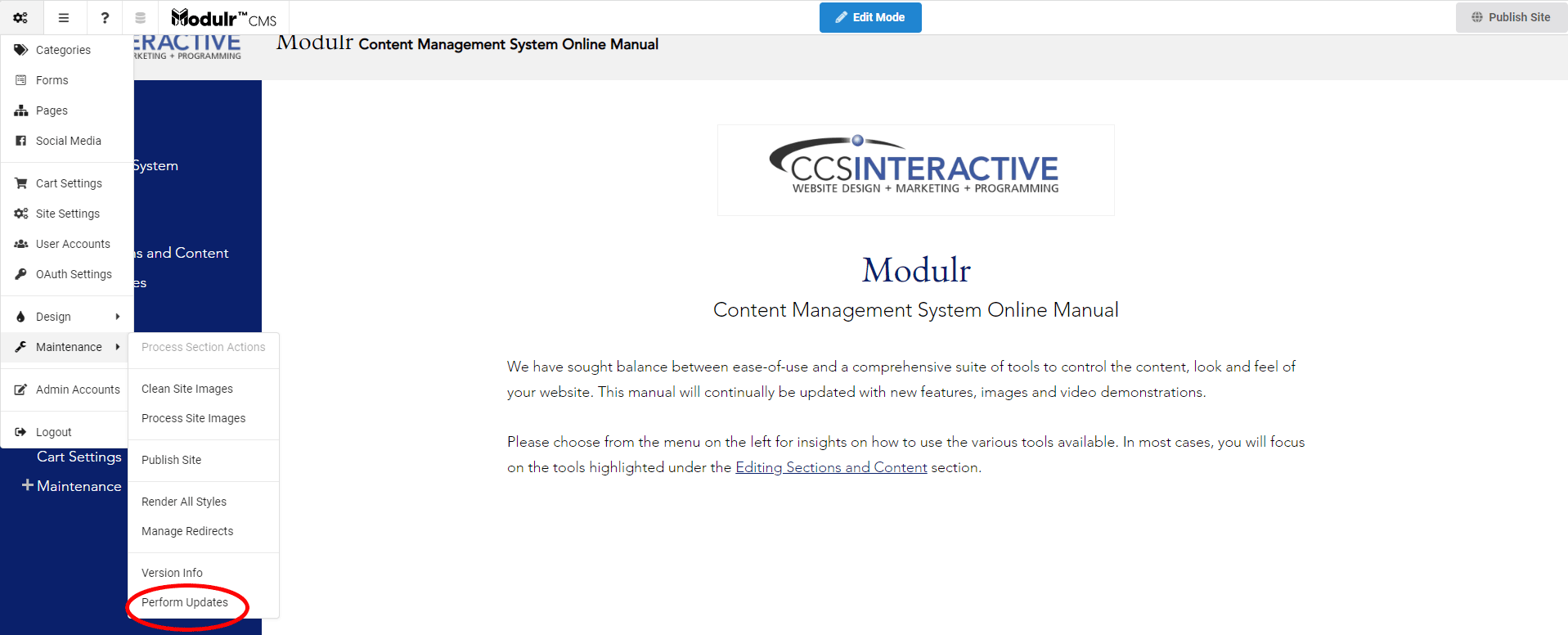
Perform Updates
Purpose
How to Perform Updates for syncing the CMS with the latest updates. A good starting point if you are experiencing "bugs" or issues that may have already been resolved in a later version.
While it is not necessary to constantly update the system, occasional updates can be benefitial, particularly if encountering unusual behavior within the system.
- The content management system and the individual components are subject to constant improvement.
- Oftentimes, other system users have identified issues which our development team may have already addressed.
- If experiencing an issue with the content management system, performing an update is a good place to start for a resolution before reaching out to our customer service team.
How to Perform Updates
- Beneath the URL in your broswer, hover your mouse over the toolbar
- It will drop down, and all of the options will become available
- Scroll down to Maintenance, and click on Perform Updates